The FlashPoint system that IECRM uses to track student registration, classes, grades, attendance, OJT reports, and much more shouldn’t be scary!
Here is a trick and a treat for you! Have questions or suggestions for a tip for an upcoming issue of enews? Email us at [email protected].
Trick: Adding Shortcuts to your FlashPoint Home Page
Is there a page or a record that you find yourself looking for a lot? Add a “Quick Link” to the top of your home page!
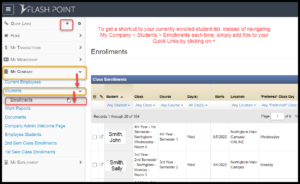
Go to a page, for instance, the list of all your currently enrolled students. Navigate to: My Company > Students > Enrollments. Then simply find Quick Links on the top left of your navigation bar and click on +.
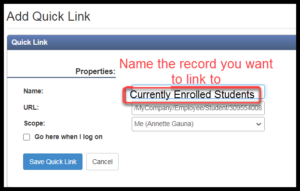
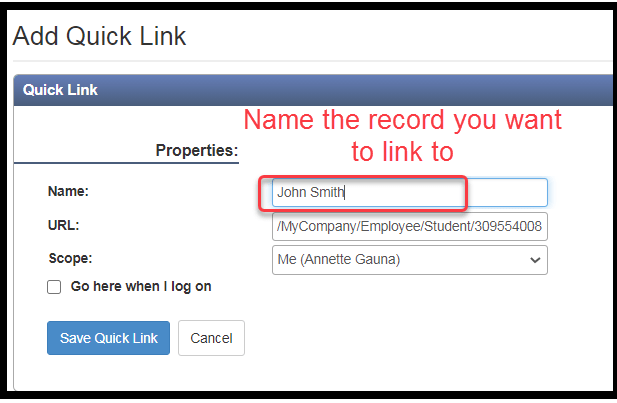
After clicking on the + you will be prompted to name the page you’d like to keep in your Quick Links. This could be a list (currently enrolled students) or a single record (John Smith).
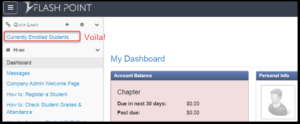
You’ll now find your Quick Link in the top left hand corner from wherever you are in the system.
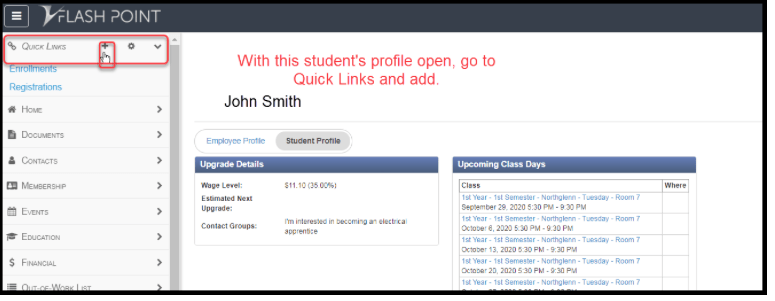
To add an individual person’s record that you look up frequently, navigate to their record. For instance My Company > Students. Select and open the record.

With this student’s profile open, go to Quick Links and select +
After clicking on the + you will be prompted to name the page you’d like to keep in your Quick Links. This could be a list (currently enrolled students) or a single record (John Smith).
Voila!

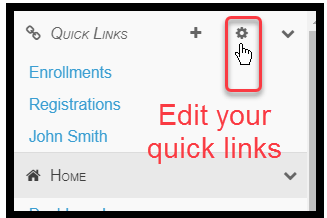
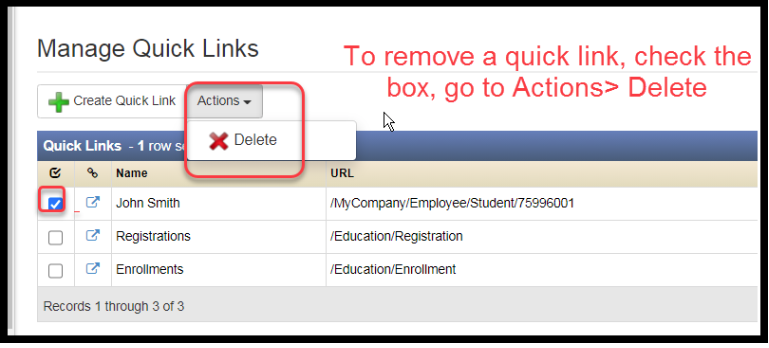
To edit your Quick Links: